
Georeferenced Raster Maps of Toril
To support the community of fantasy cartographers, I am releasing a set of georeferenced raster maps for the Forgotten Realms.
One of the biggest hurdles in fantasy GIS is the “alignment phase”—taking a flat image from a sourcebook and stretching it to fit a globe. Today, I am excited to share a library of georeferenced raster maps used as the foundation for the Toril GIS project.
These maps are precisely aligned to the Toril Geographic Coordinate System (GCS). They are shared for non-commercial, educational, and hobbyist use within the GIS and TTRPG communities.
The Map Collections
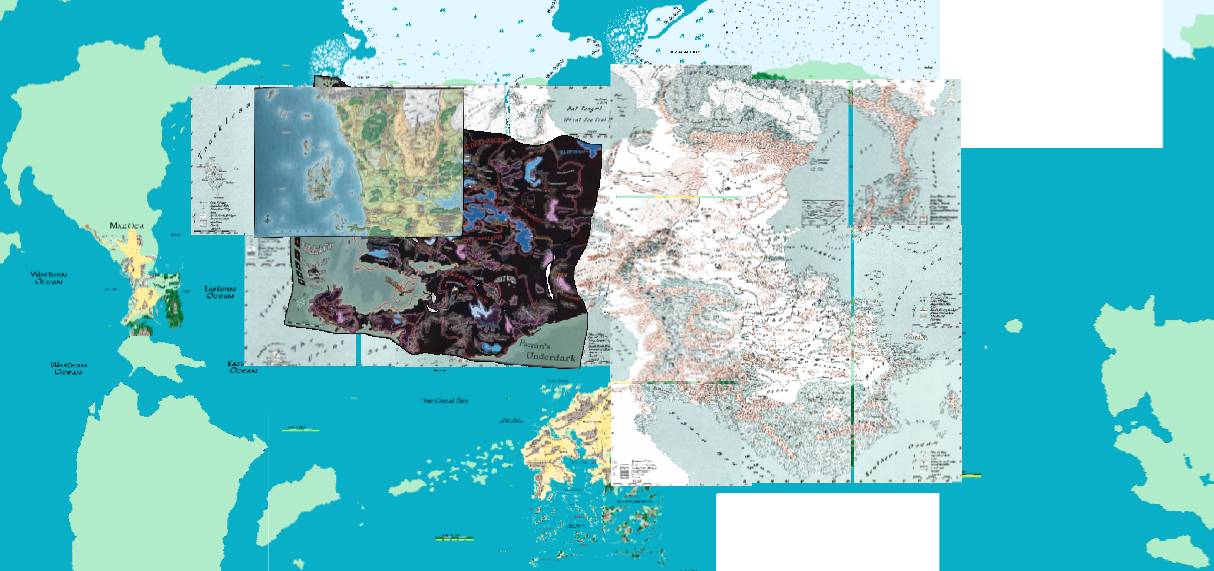
The repository serves as a chronological and spatial bridge across the history of the Realms. At its core is the 2nd Edition “foundation” era, featuring high-resolution scans from the iconic 1990 Forgotten Realms Atlas and the 1999 Interactive Atlas. These collections provide the primary continental spine for Faerûn, the Hordelands, and the Eastern Realms. For those working on local scales, I’ve included high-detail regional maps for areas like Cormyr, the Moonsea, and Evermeet, all surgically aligned to ensure that every road and ruin sits exactly where the lore intends.
As we move into the modern era, the collection incorporates official Wizards of the Coast references from the 3rd, 4th, and 5th Editions. This includes the authoritative 3E maps, and the high-fidelity 5th Edition Sword Coast standard. I’ve even included the 4th Edition map for historical context, though its radical geographical shifts serve as a cautionary tale for any fantasy cartographer attempting to reconcile the “Spellplague” geometry with a consistent planetary model.
To round out the library, I’ve included modern community masterpieces, specifically the maps by Adam Whitehead (Atlas of Ice & Fire). These act as a crucial visual glue, helping to reconcile legacy 2E data with a clean, modern aesthetic.
Technical Implementation
Every raster in this repository is anchored using the Toril GCS. Depending on your choice of software, here is how to handle the data:
- GeoTIFFs (.tif): High-quality rasters with spatial data embedded directly in the file.
- World Files (.pgw / .jgw): For PNG and JPG images, I include standard “World Files” to handle the georeferencing. This ensures that even simple image formats are recognized as spatial data by your software.
Option A: Using Toril GCS (Recommended)
If you are using QGIS, ArcGIS, or another professional geospatial tool, the most accurate way to view these maps is to define the custom Toril GCS coordinate system in your software. Once defined, set your project or map view to it. The rasters will align perfectly with the Toril GIS vector layers, allowing for seamless cross-edition analysis.
Option B: The WGS84 “Force” Workaround
In theory, if your software does not support custom coordinate systems or you need a quick preview, you can handle these files by forcibly assigning WGS84 (EPSG:4326) to the data. However, please be aware that while the maps will be “usable,” there may be slight distortions or misalignments compared to the native Toril GIS environment.
Usage Terms: This page includes unofficial Fan Content permitted under the Wizards of the Coast’s Fan Content Policy. Not approved/endorsed by Wizards. Portions of the materials used are property of Wizards of the Coast. © Wizards of the Coast LLC.